What are business details?
Business details are a short description of what your business does, plus an optional location. Solo uses both when it generates text and image suggestions in the designer, so the suggestions match your business instead of being generic.
You can update your business details at any time:
-
Visit the designer
-
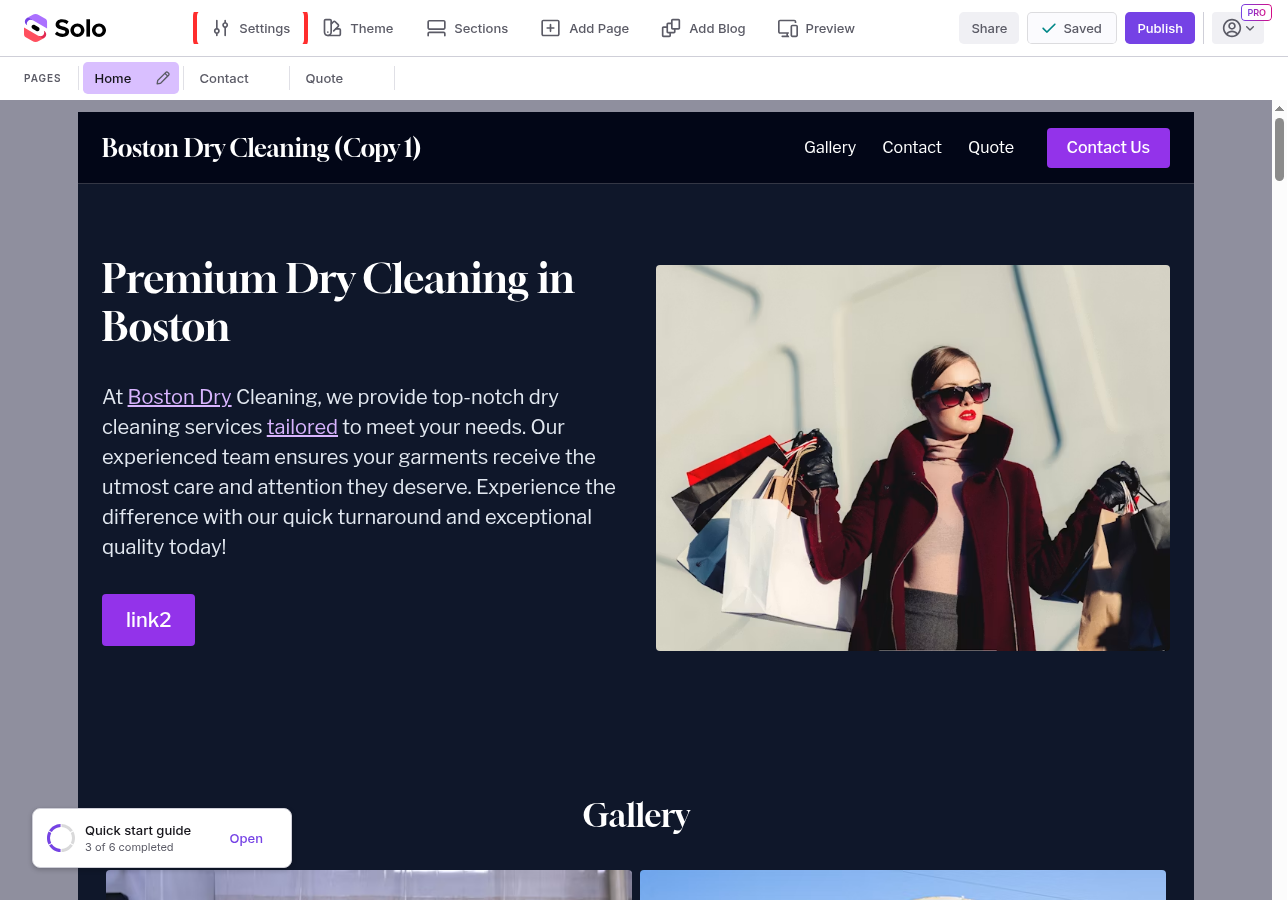
In the top toolbar, click
Settings
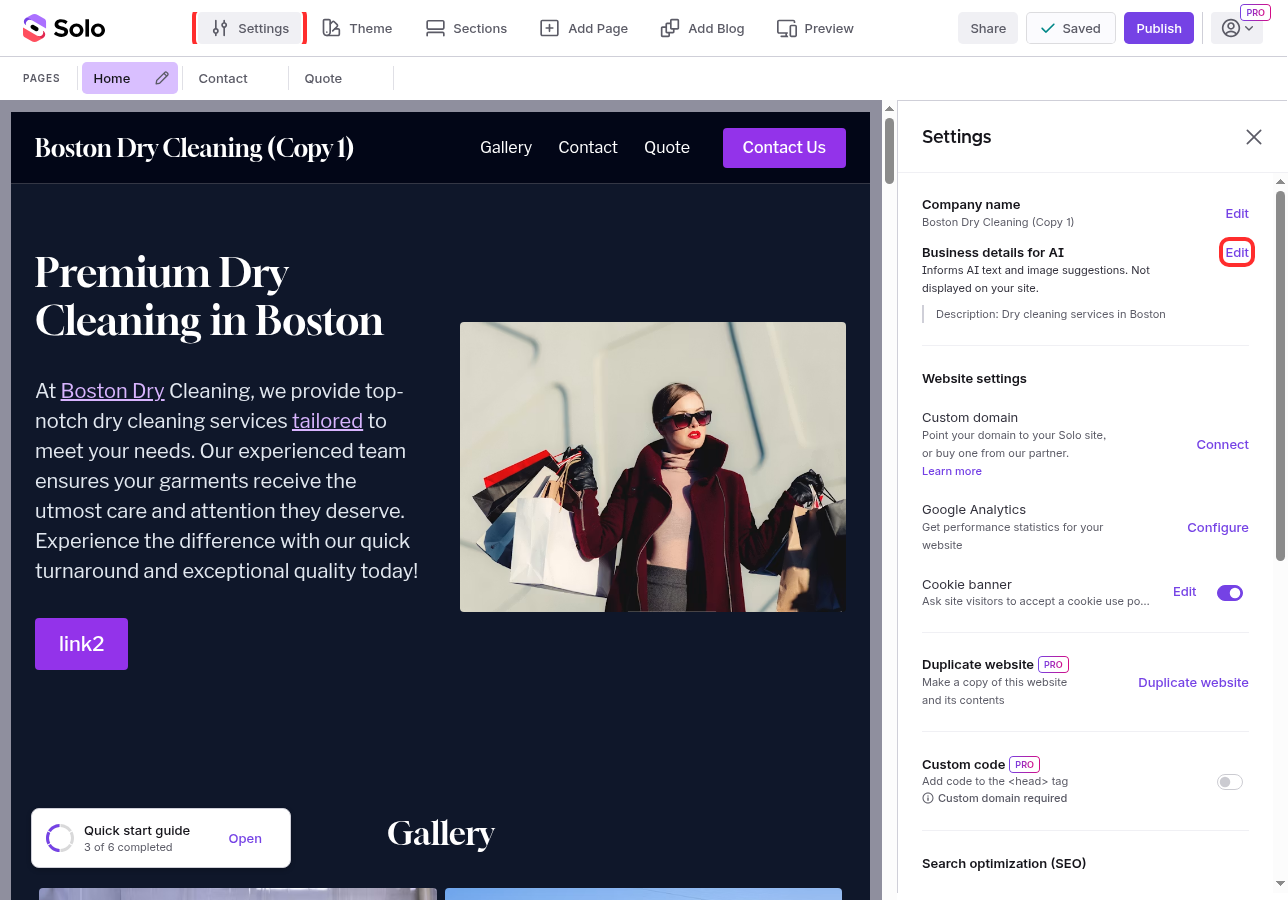
- In the Settings panel on the right, find Business details for AI and click
Edit
-
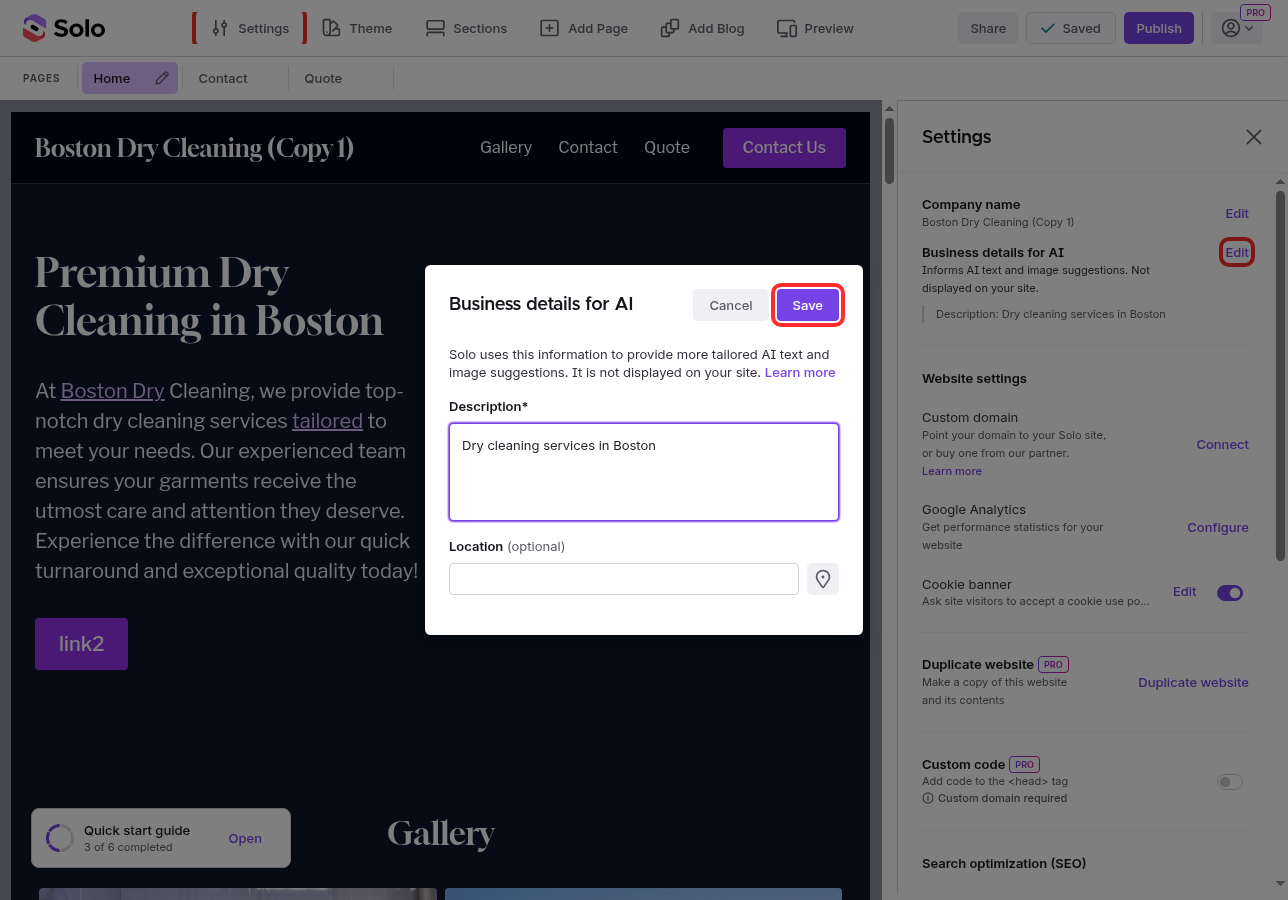
In the modal, update the Description field with a short summary of what your business does
-
(Optional) Add a Location by typing a city and state, or click the locate icon to fill it in automatically
-
Click
Save
What changes when you edit business details
The description and location are used by Solo when it writes text for sections like Hero and Services, and when it suggests images from the Pexels picker. A specific description gives better results than a generic one. "Vegan bakery in Brooklyn that makes custom wedding cakes" is more useful than "bakery."
Note: Editing your business details only affects new AI suggestions. Text and images already on your site stay the same until you regenerate them.
Related Articles
Still have a question? Post to our Reddit group or email the team.