How to add social media links
Solo displays your social media links as icons in your website's header and footer. Here's how to add them.
To add social media links:
- In the designer, click Sections, then click the edit icon next to Header (or Footer). You can also click the header or footer directly on the canvas.
- Scroll down to Social network links and click the toggle to turn it on. A dialog opens.
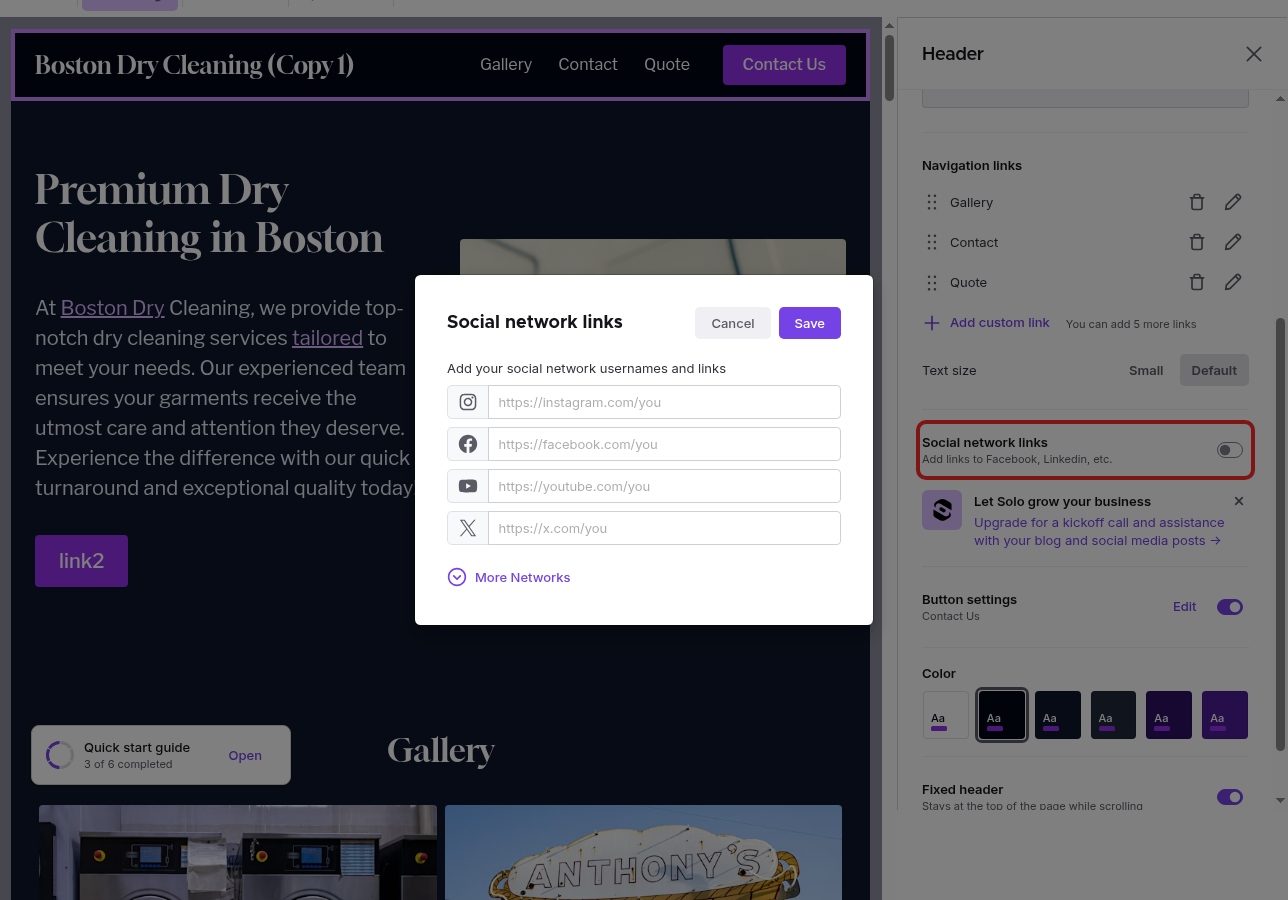
- Paste the full URL to each profile you want to show (for example,
https://instagram.com/yourbusiness). - To add more, click More Networks for the full list: LinkedIn, TikTok, Pinterest, Yelp, Bluesky, Threads, WhatsApp, and others. Use Generic Link for anything not listed.
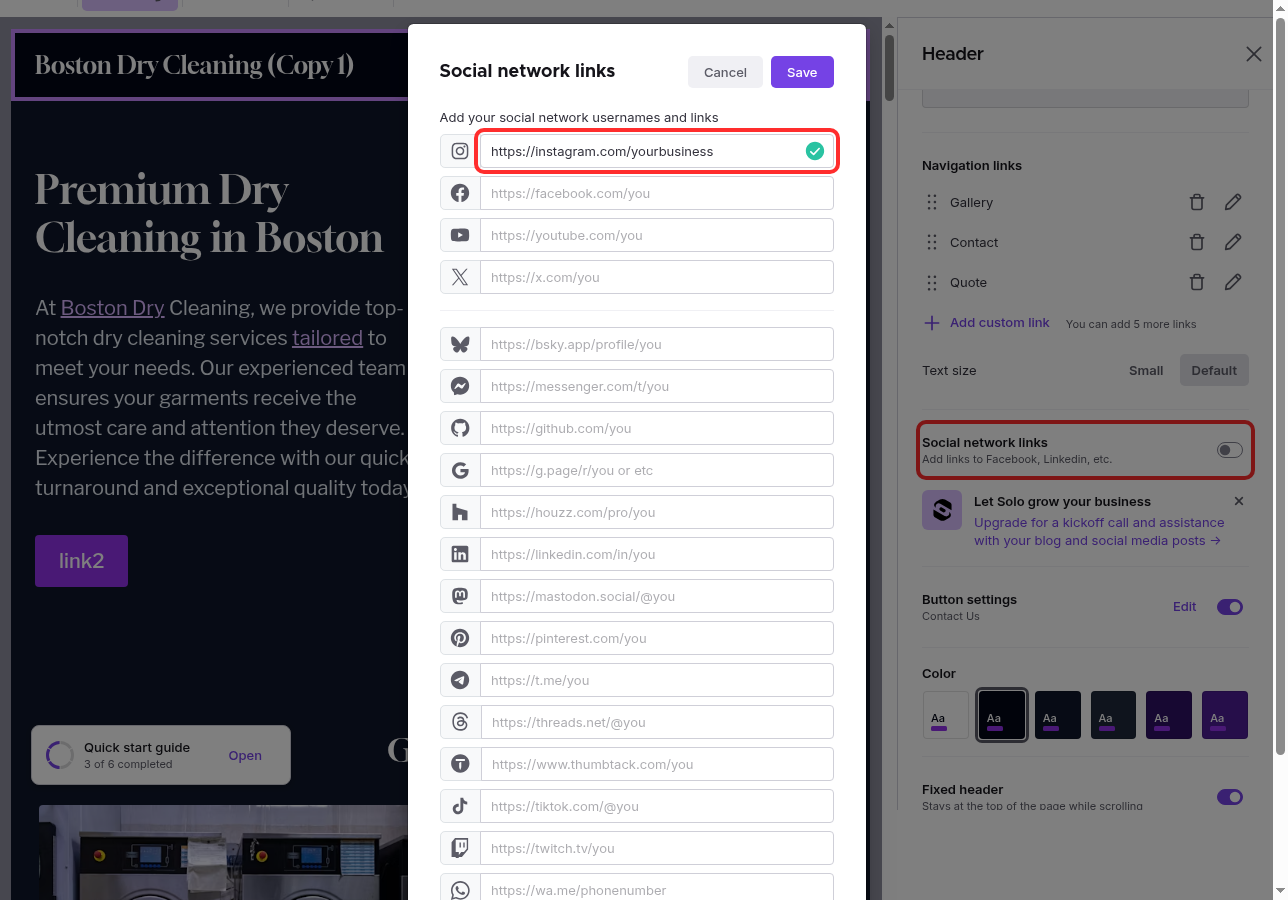
- Click Save. Your icons appear in the header or footer right away.
Note: Repeat these steps for the Footer if you want social icons there too.
Related Articles
Still have a question? Post to our Reddit group or email the team.