How do I create a scheduling link?
You can use popular vendors like Calendly.com, Tidycal.com or Google Calendar to create your scheduling link.
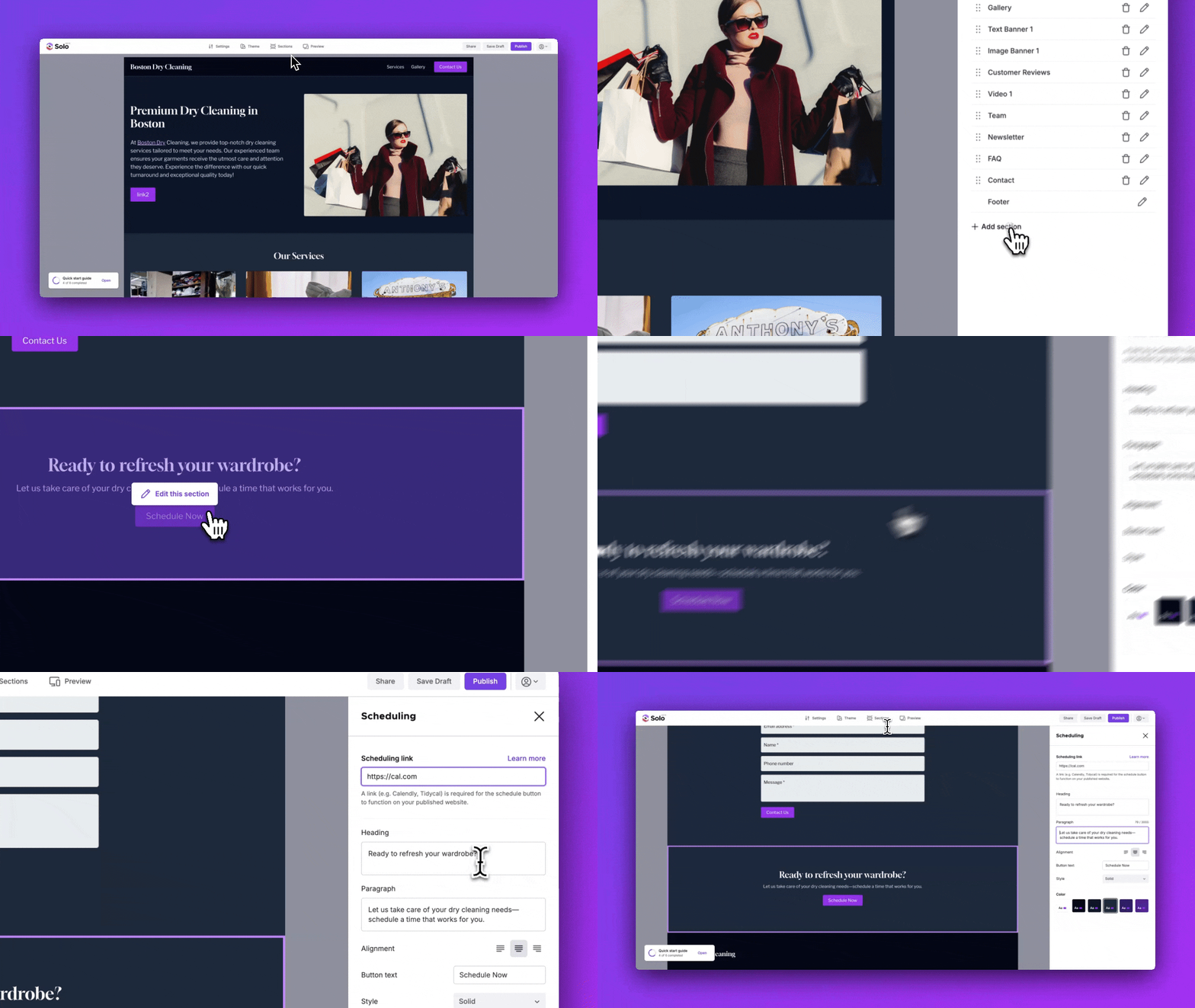
You can add your scheduling link to your Solo website by following the steps below:
-
Visit the designer
-
In the top toolbar, click
Sections -
In the Sections right sidebar, click
Add section -
Double click the
Schedulingsection in the modal to add it to your website -
In the designer area, scroll down to the Scheduling section, and hover over the section
-
Click
Edit section -
In the Scheduling right sidebar, you can add your scheduling link
Related Articles
Related Articles
Still have a question? Post to our Reddit group or email the team.