How can I add an About or Team section to my website?
You can use the "Team" section for this.
-
Visit the designer
-
In the top toolbar, click
Sections -
In the Sections right sidebar, click
Add section -
Double click the
Teamsection in the modal to add it to your website -
In the designer area, scroll down to the Team section, and hover over the section
-
Click
Edit section -
In the Team right sidebar, you can click
Add Personadd details of your new team member
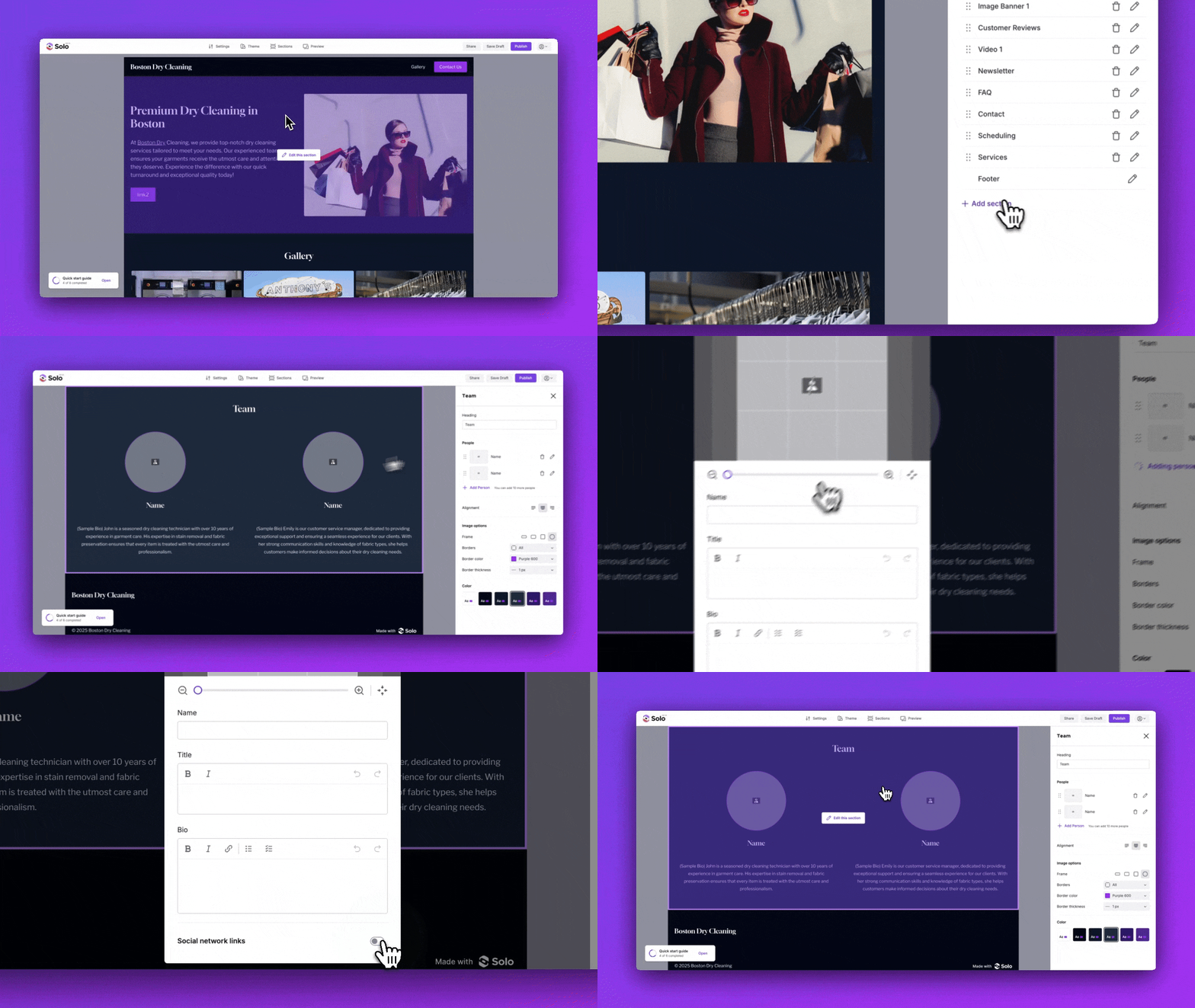
You can edit the existing person (name, title, and social media links) and optionally optimize your image with tools like Avatarmaker or Remove.bg.
Note: Solo allows you to add up to 12 person in the team section. Alternatively, you can also use a Text Banner section to feature a single person or the Article section if you want to provide a lot of detail about a single person..
Related Articles
Related Articles
Still have a question? Post to our Reddit group or email the team.