How to navigate the Solo interface?
Solo AI Website Creator offers a powerful Designer page to help you edit your beautiful website from your desktop. Note, Solo allows you to create your initial draft website from mobile but does not yet support editing of your website from mobile.
To begin, you can login with your email or your Google Account by clicking the Sign in button at www.soloist.ai.
Website Designer
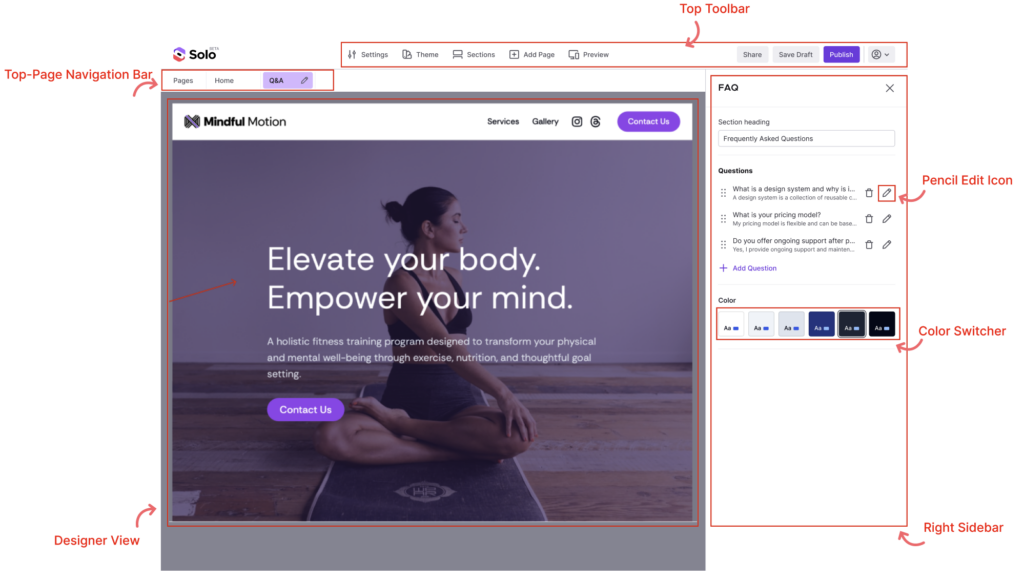
After logging-in, you will land in the Website Designer where you can customize your website.
At the top, you can see the Top Toolbar and access the following sections:
A) Settings
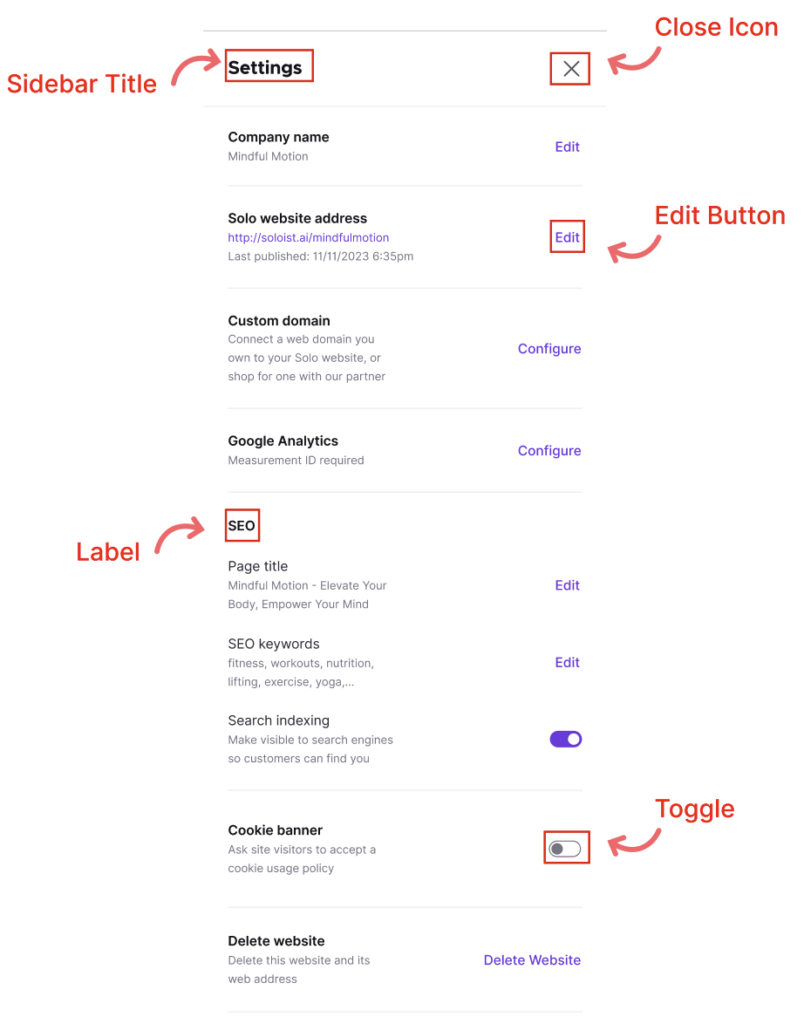
Relevant support articles for Settings:
- Connect your custom domain
- Configure Google Analytics
- Add custom code into the head section of your website
- Optimizing for SEO
- Enabling a cookie banner
- Business Details
- Duplicate Website
B) Theme
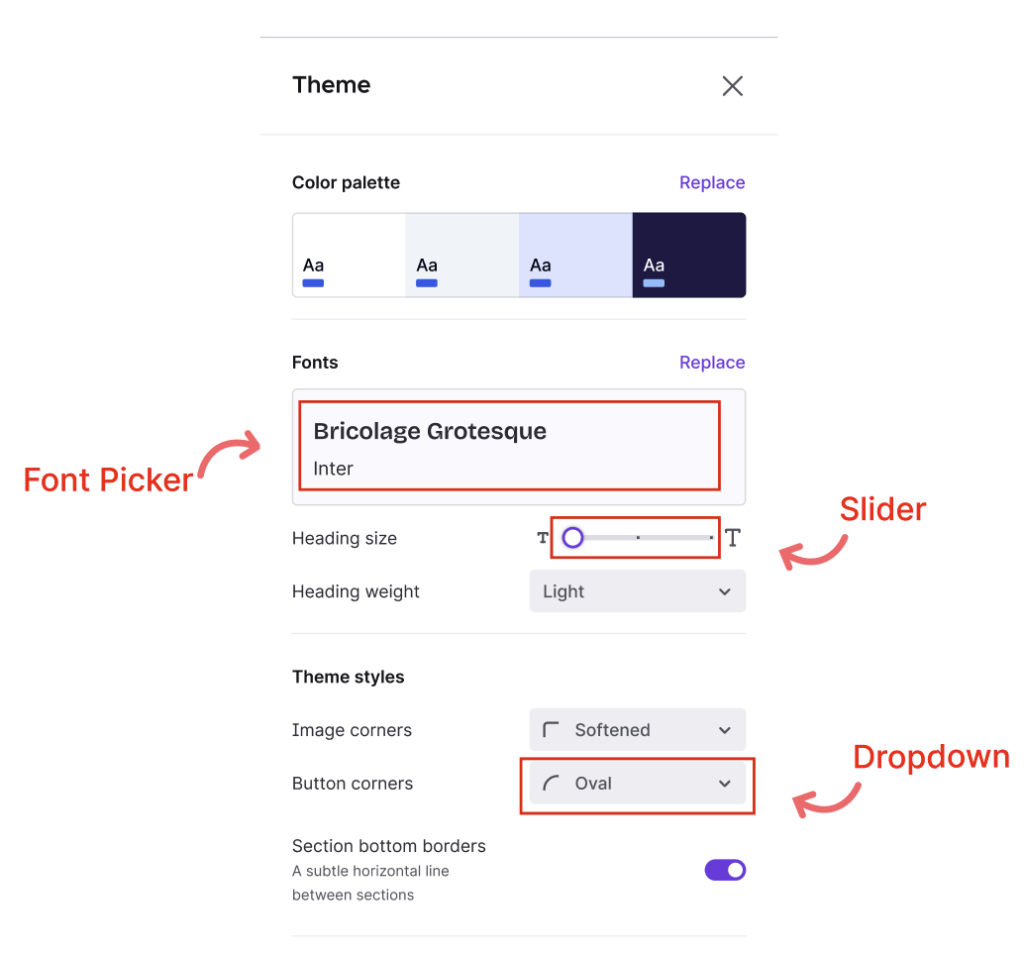
Customize the styling of your website:
- Change the background colors of sections and buttons
- Replace Fonts used for the Title and Paragraph text for each section on your website
- Customize the corners of your buttons and images
See Tips for a Great Solo Website
C) Sections
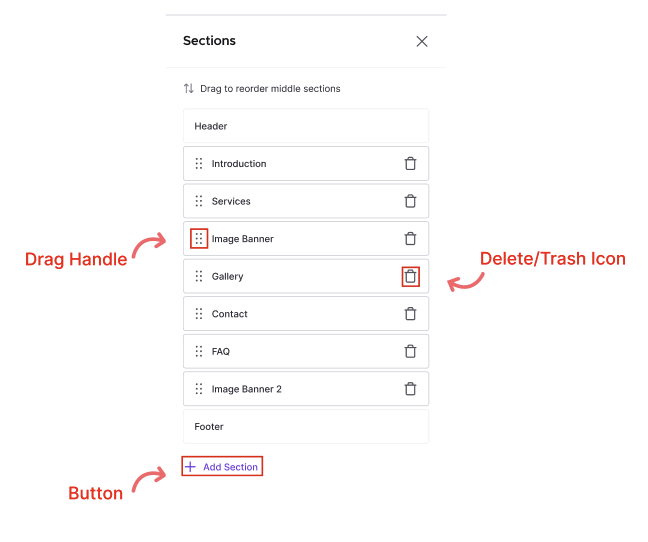
Select, reorder, add, and delete sections (or building blocks) of your website
D) Top-right Action Buttons

Invite editors, save a draft or publish your website with a custom Solo handle or your own custom domain for free.
Use the Account Dropdown to navigate to your other websites and access Account Settings.
Related Articles
Still have a question? Post to our Reddit group or email the team.