How can I duplicate my website?
This feature is available for Pro and Grow plan users. See how to upgrade to Solo Pro.
You can duplicate any published website you are an owner of or invited to as an editor.
Your website content and design will be duplicated, but any custom domain or analytics remains connected to the original website.
To duplicate a website, follow the steps below:
-
Visit the Designer
-
Click
Settingsin the top toolbar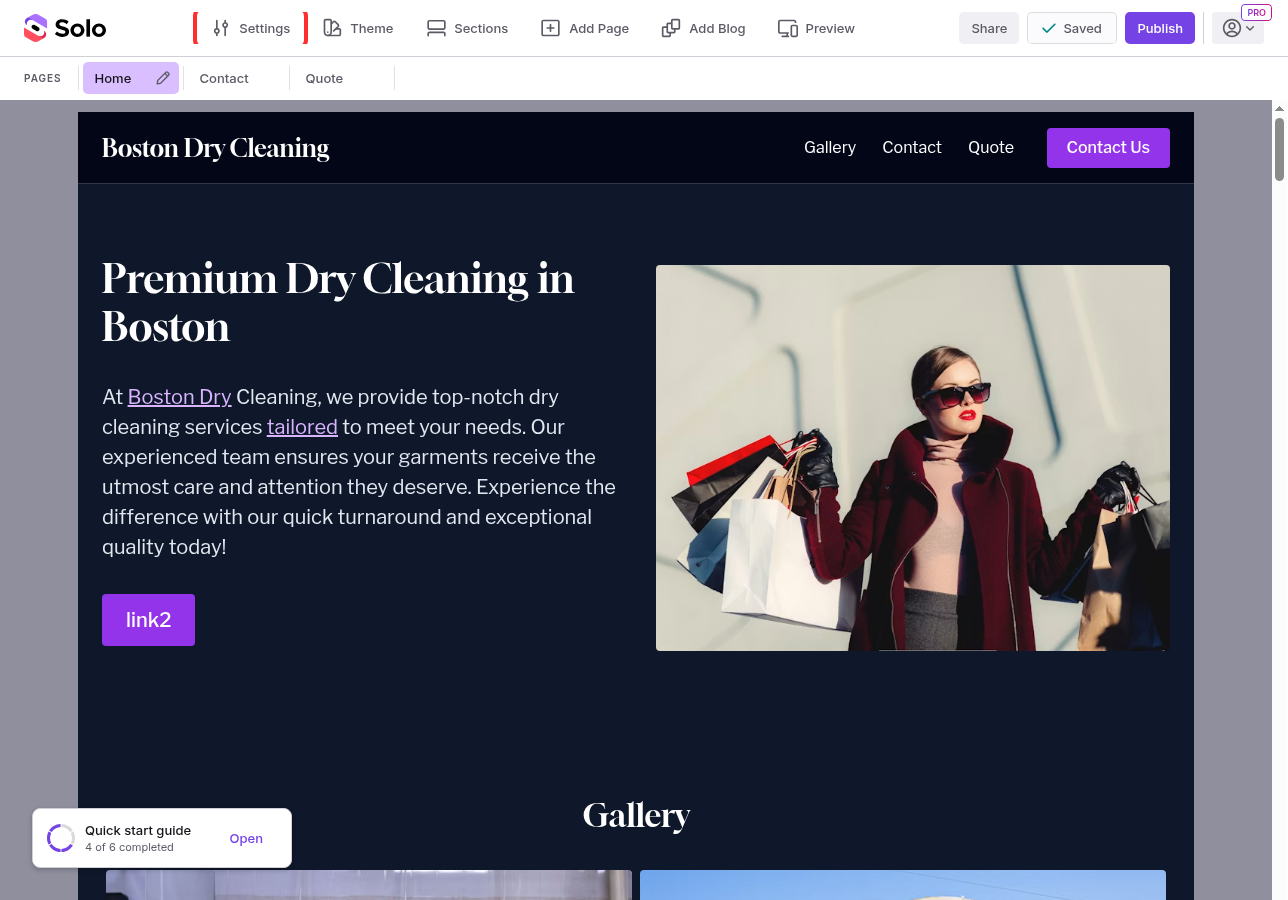
-
In the Settings panel that opens on the right, scroll down and click
Duplicate Website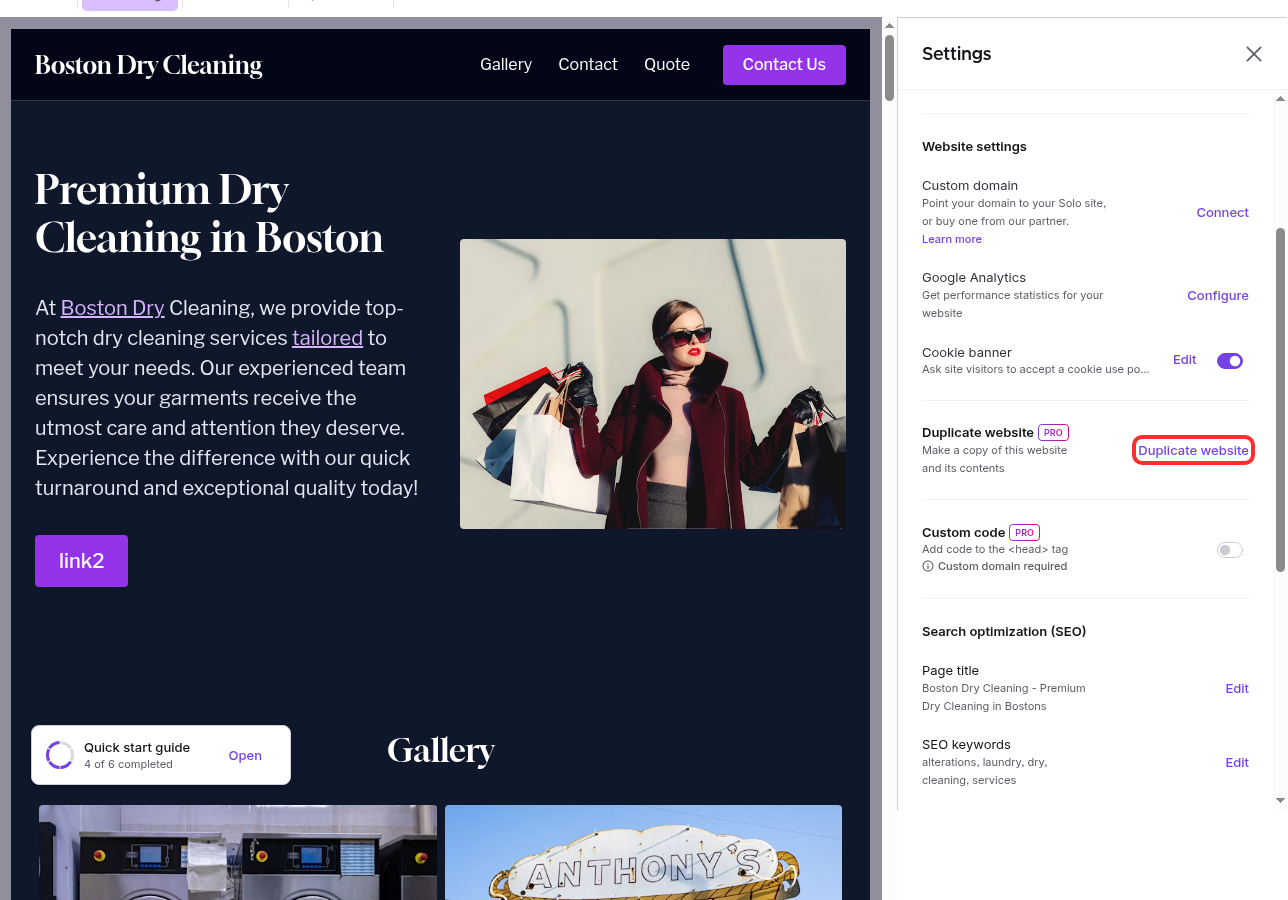
-
In the confirmation modal, click
Duplicate Websiteto confirm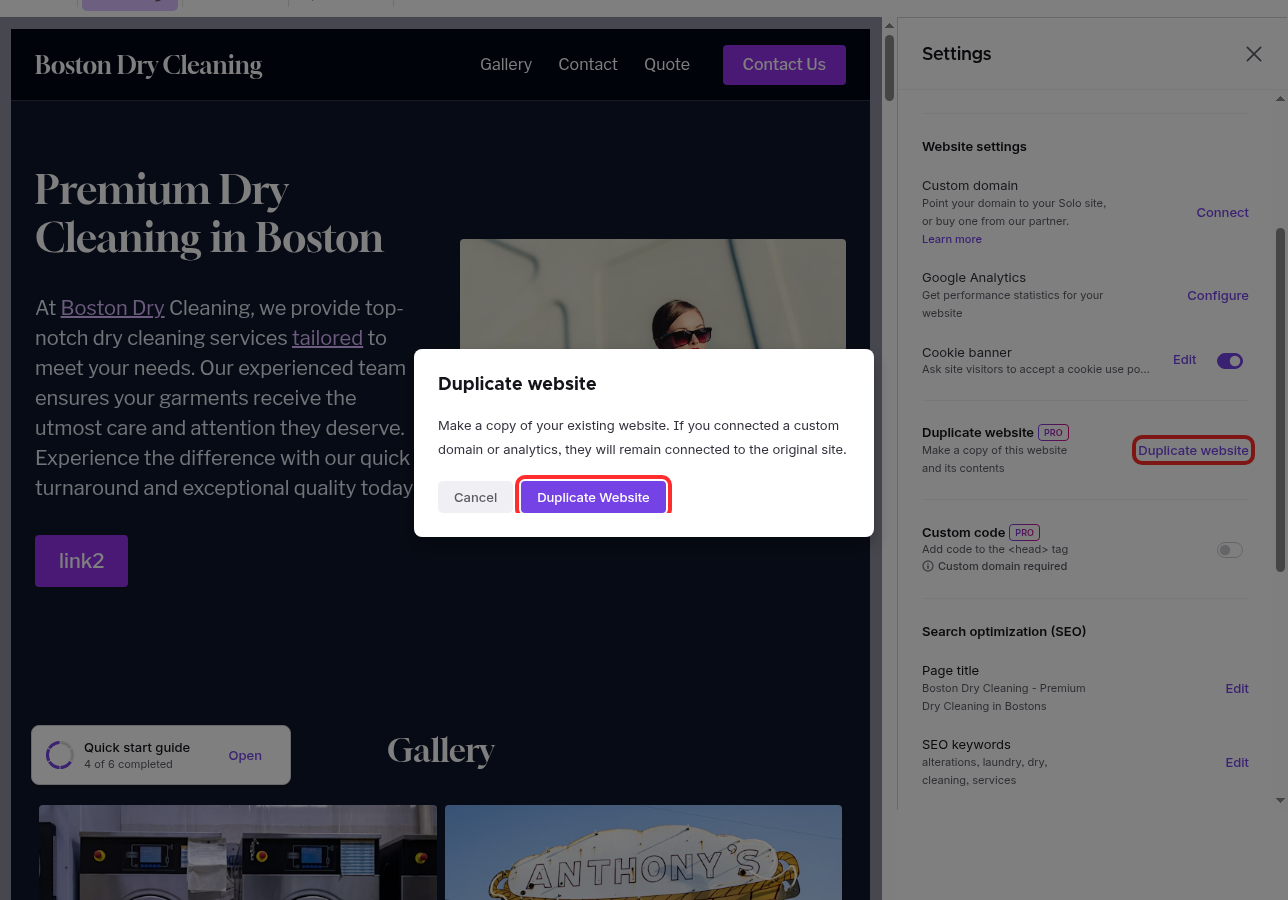
-
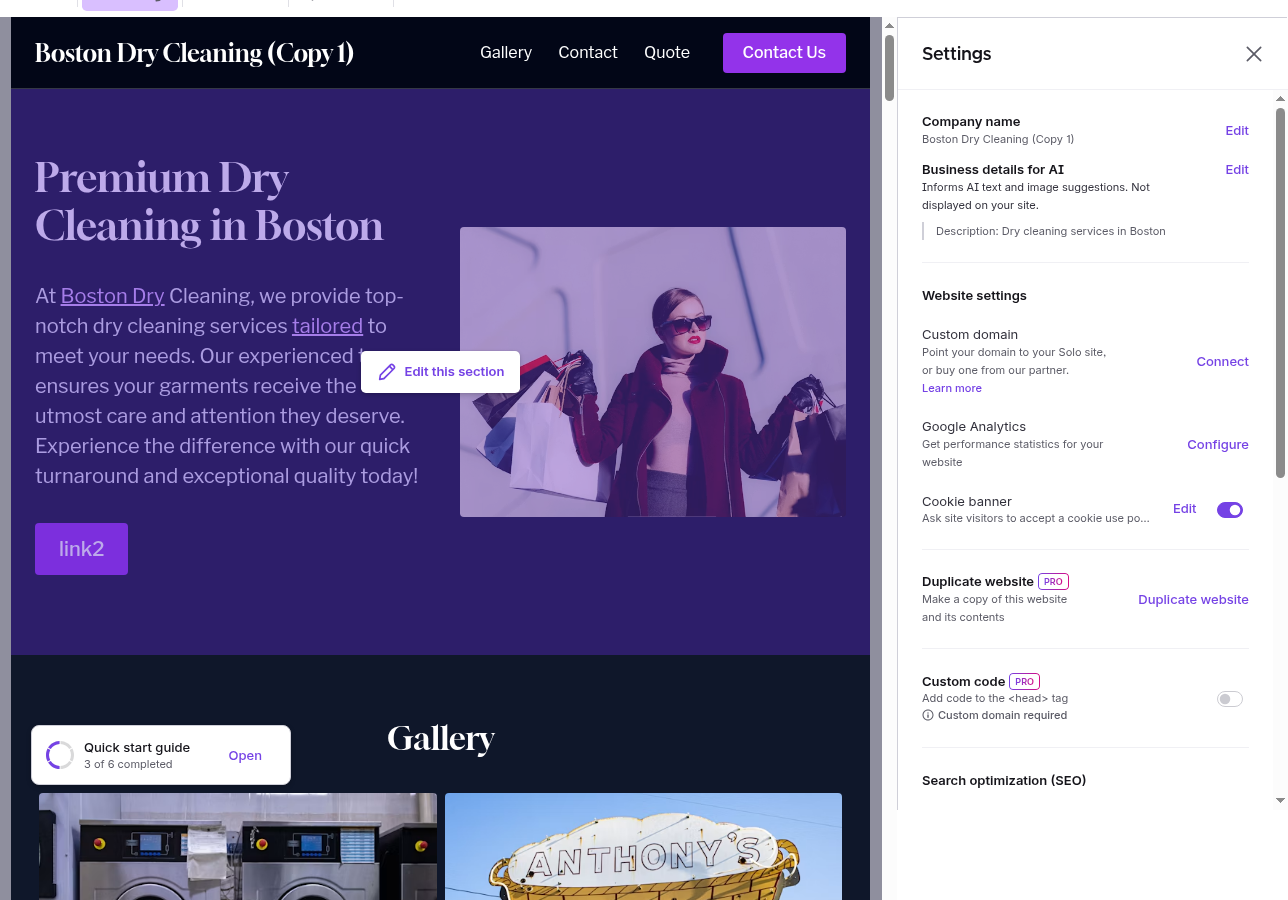
Your website is duplicated. The designer automatically switches to editing the new copy, and you'll see a success banner confirming "Website duplicated successfully."
-
The duplicated website is named after your original with (Copy 1) appended — for example, "Boston Dry Cleaning (Copy 1)". Click the account dropdown in the top-right of the toolbar to confirm you can see both your original website and the new copy listed there.
Note: Editing your duplicated website will not impact the original website — they are two separate websites. You can experiment with content or design changes in the duplicated website and click Publish when ready.
Related Articles
Still have a question? Post to our Reddit group or email the team.