How to set up a Google Business and Apple Business Profile?
To improve the rank of your business and website on Google and Apple Maps search, it is recommended to create a Google Business Profile and an Apple Business Connect Profile. Setting-up these profiles may require verifying your business address. If it's a residential address, that is perfectly fine but they mail you a letter to confirm that mail can be received at your address.
To set up a Google Business Profile, please follow the instructions here.
To set up a Apple Business Connect profile, please follow the instructions here.
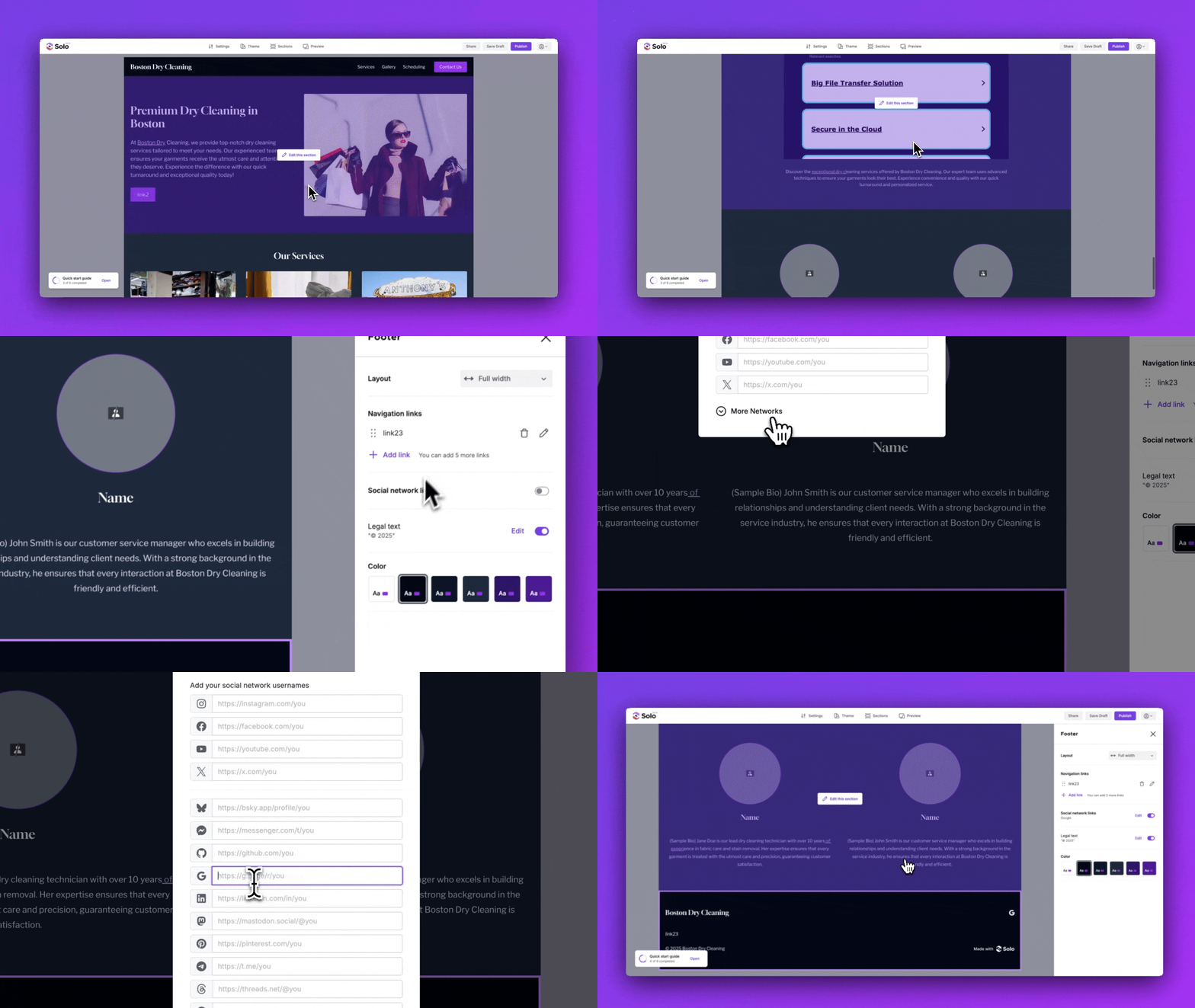
Note, if you already have a Google Business Profile, you can add it as a social media link to your Solo website Header or Footer:
- Visit the designer
- Scroll to the Header or Footer section in the designer area
- Hover your mouse over the Header or Footer and click
Edit Section - In the right sidebar, toggle on Social network links
- In the modal that appears, click
More Networks - Add your Google Business Profile Link (e.g. https://g.page/r/Cae0NJBiPbQXEBM)
- Click
Save
Related Articles
Related Articles
Still have a question? Post to our Reddit group or email the team.