How do I use image shapes?
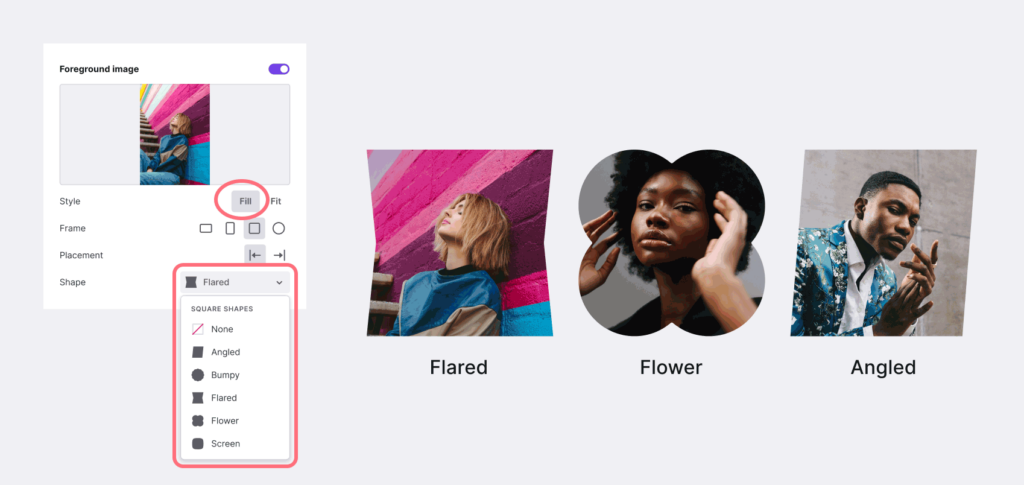
- Shapes are not enabled by default. Selected from the shape drop down menu.
- Shapes require Image "Style" set to "Fill". More about Fill vs. Fit
- Each "Frame" selection has unique shape options. If you make a new frame selection, you will need to select a new frame.
- You can use the crop tool to position your image within the shape
- The "Circle" frame has no associated shapes. It's already perfect!
Note: The shape feature is available for foreground images in the Introduction, Text Banner, and Article sections only.
Related Articles
Still have a question? Post to our Reddit group or email the team.