Can I embed code into a section of my website?
You can add a range of HTML, CSS, or JS code embeds (e.g. Eventbrite, Stripe, or Tally) that would be self-contained within a section of your Solo website and we are continuing to test with more examples.
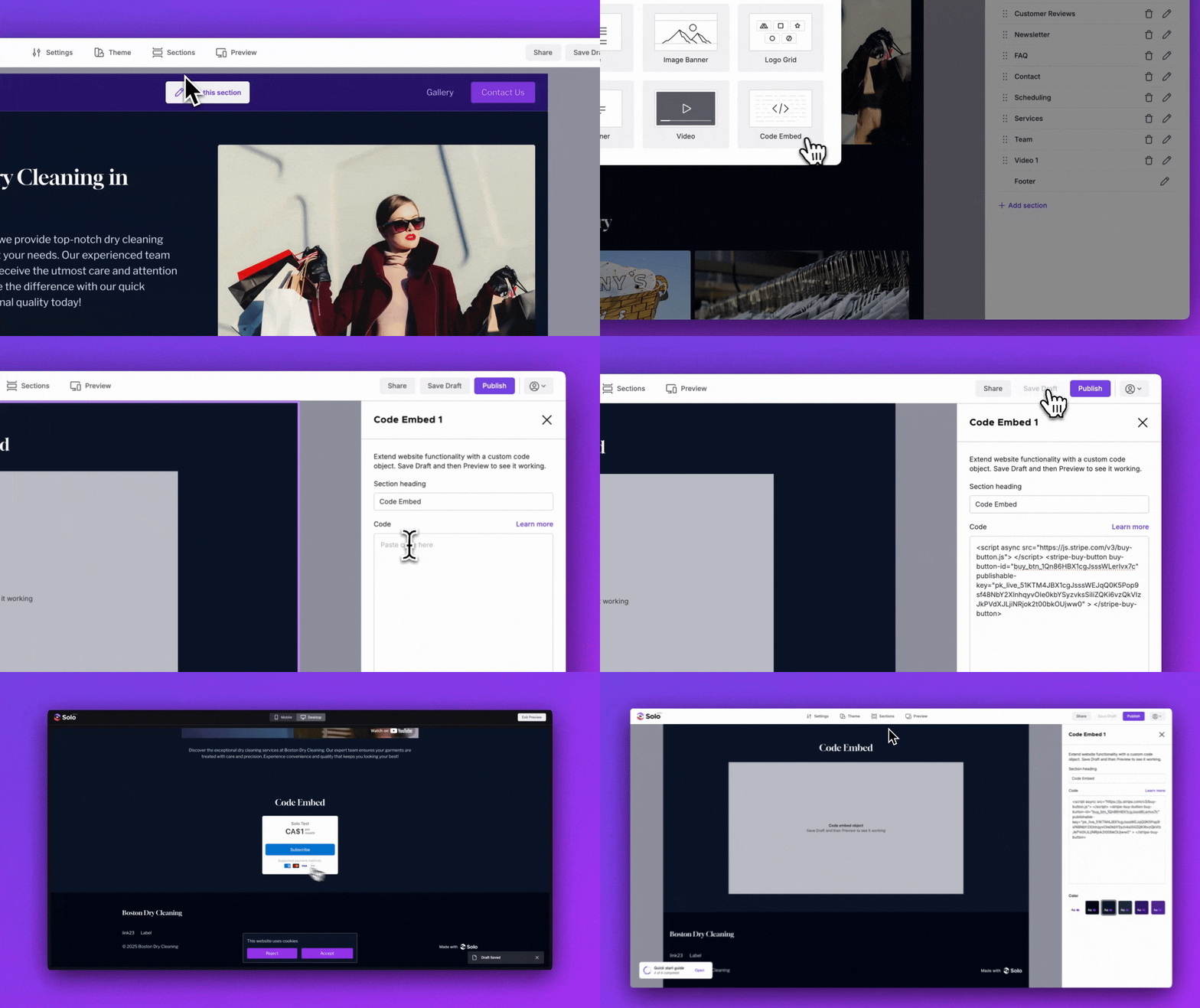
You can embed custom code (e.g. <iframe>) into a section of your Solo website by following the steps below:
- Visit the designer
- In the top toolbar, click
Sections - In the Sections right sidebar, click
Add section - Double click the
Code embedsection in the modal to add it to your website - In the designer area, scroll down to the Code embed, and hover over the section
- Click
Edit section - In the Code embed right sidebar, you can type or paste in your code.
- In the right top toolbar, click
Save Draft - Try previewing your site before you click
Publishto make sure you're happy with the expected result.
Note: You can add up to 6 Code embed sections to your website. Each code embed supports up to 100,000 characters. Certain script tags provided by third-party providers can inject certain styling or code that will impact your website (e.g. causing unintended scrolling behaviour). Please verify the type of script and provider before adding it to your website.
If your embed doesn't work, we suggest uploading your code to Netlify Drop and testing with JSBin. If your custom code displays there correctly but not in Solo, then please contact us at support@soloist.ai and we will investigate.
Related Articles
Related Articles
Still have a question? Post to our Reddit group or email the team.